Guides for Major Update · About 4 minutes
Smooth switch from v0.1 to v0.2
National Transit v0.2.0 is now the default version — the largest update so far: a reworked travel demand model, per-mode operations, city design, publishing to ntgg.me and history replay. This guide gets you from v0.1 to v0.2 in a few minutes.
For the complete list of changes, see What's new in v0.2.0.
Getting v0.2.0
v0.2.0 is the default public version — no opt-in needed. Launch Steam and the update installs itself; the title screen will show v0.2.0.
If you joined the beta branch while v0.2 was in testing, you can leave it: in your Steam library, right-click National Transit → Properties… → Betas, and select None in the dropdown. Both branches now run the same build, so your saves open either way and nothing is lost by switching back.
Note that saves written by v0.2 cannot be opened by v0.1, so if you ever roll back to an older build, keep a copy first.
Meet the demand panel
Open Transport Demand from the top bar. This panel is now the single place where the game tells you why people travel — or don't. Read it top-down as a funnel:
- Potential demand
- Trips people would take with ideal transport.
- Price-suppressed · Excess travel time
- Trips lost before your network is even considered — travel costs too much, or takes too long.
- Retained demand
- What's left, and what your network competes for.
- No connection · Capacity shortfall
- Retained trips your network fails to carry.
- Carried demand
- What you actually move, split by mode under Carried by mode.
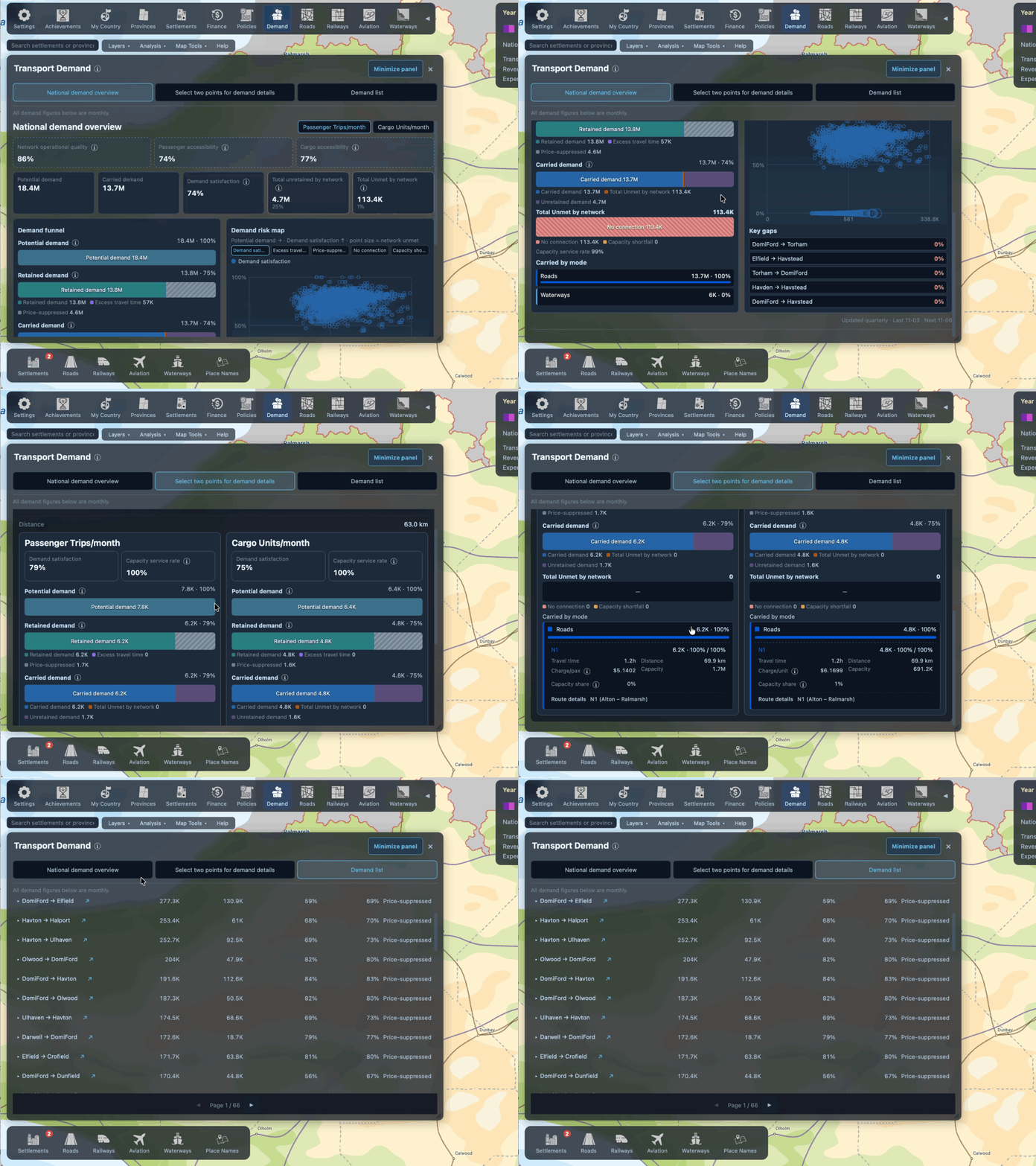
Every piece of advice in this guide follows from this funnel: find the biggest loss bucket, fix that. For the model behind it, see Travel demand, traffic and capacity and Tolls, fares and traveller choices.
What has changed for each mode
Roads. Tolls and private costs (fuel, vehicle operating cost) now enter travellers' choices. A tolled expressway is no longer free ridership — set tolls too high and demand shows up as Price-suppressed, or shifts to other modes. See Roads: grades, tolls and upgrades.
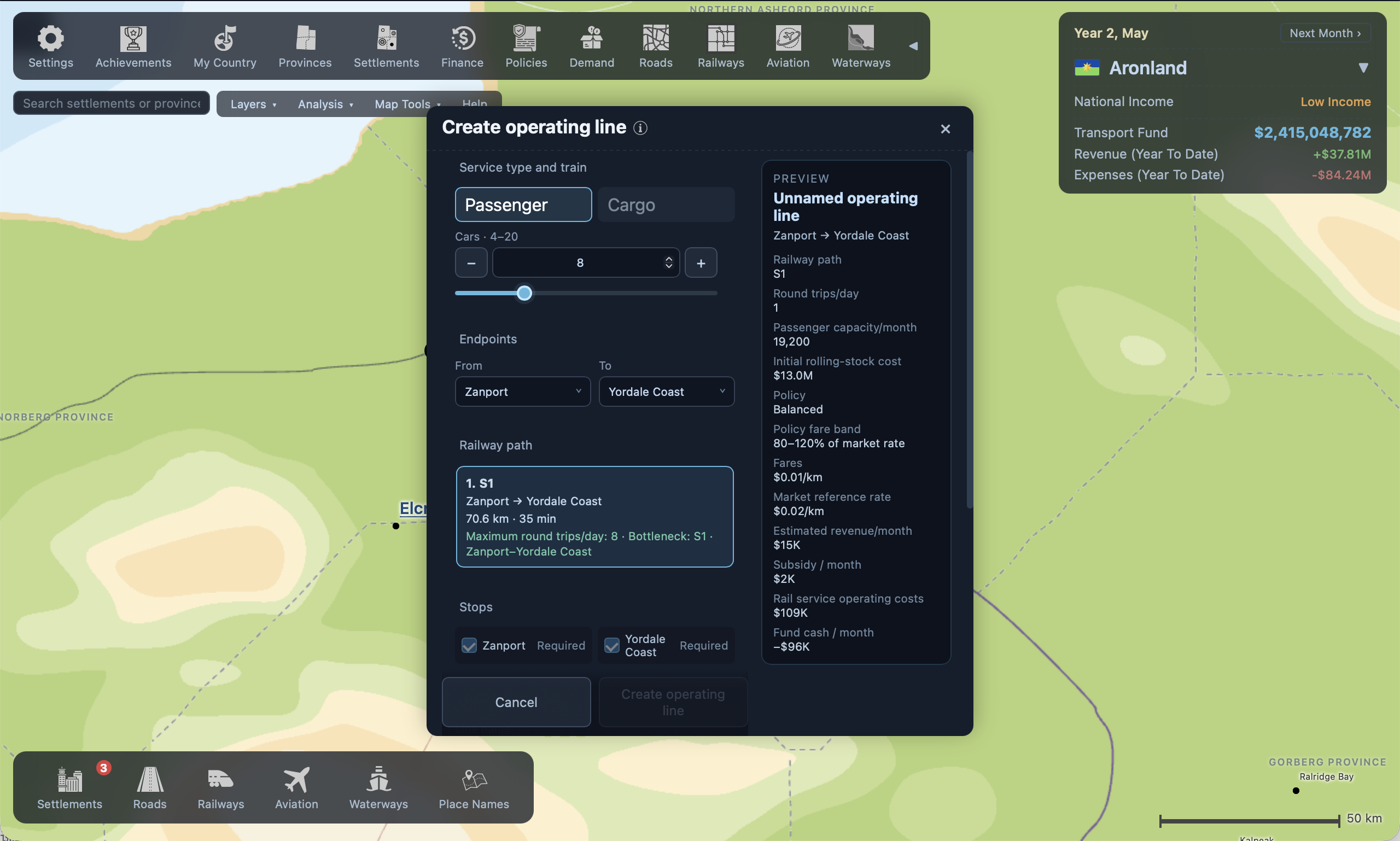
Railways. Track alone no longer carries anyone. Create operating lines — pick a path, stops, cars and daily round trips — then choose one of three operating strategies: Public service (low fares, subsidy-backed), Balanced, or Commercial (market fares, profit-first). See Railways: track and operating lines.
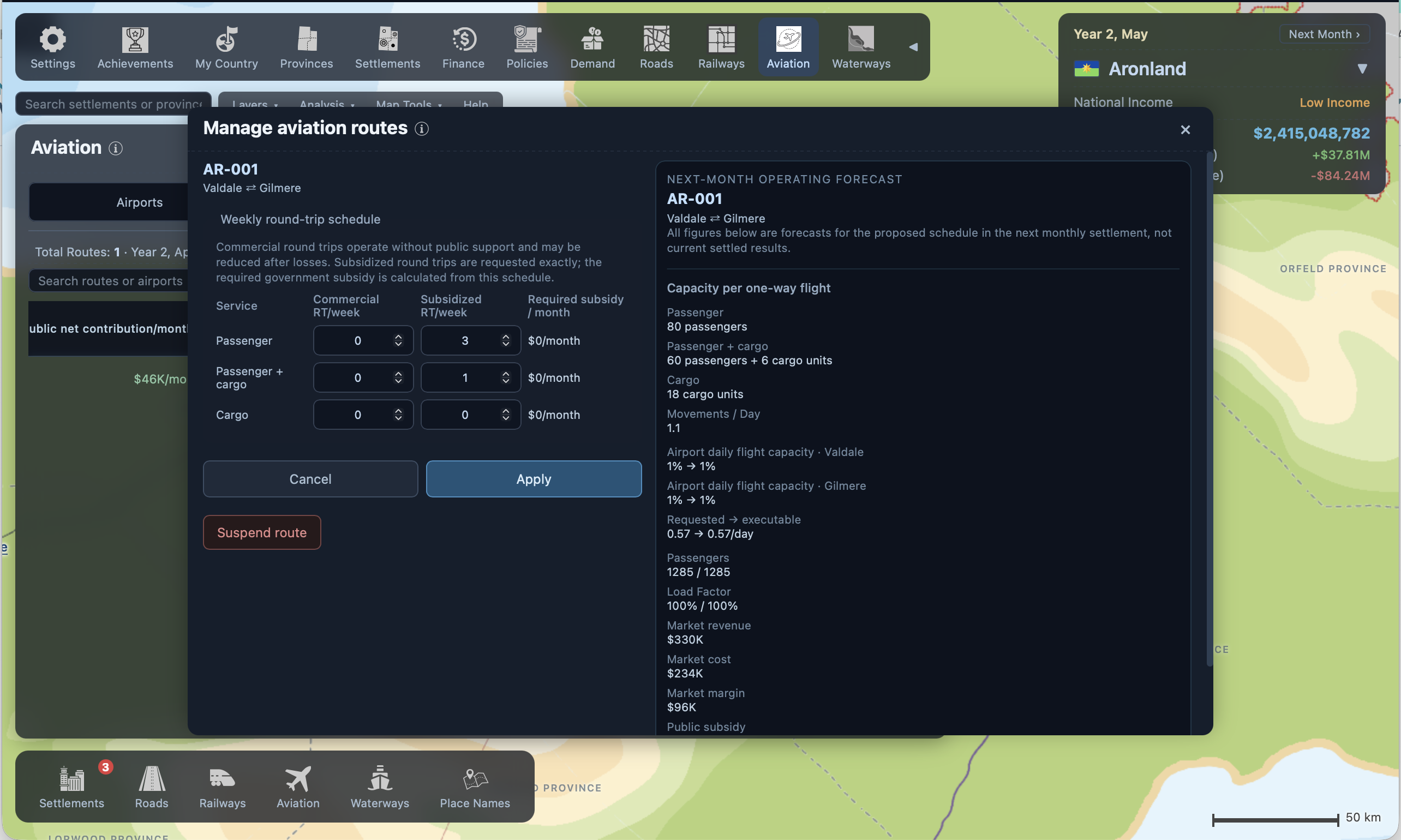
Aviation. Airports have capacity, and routes are something you operate: set the weekly flight schedule per route. An airport at capacity caps every route through it — upgrade the airport or trim schedules. See Aviation: airports, markets and subsidies.
Waterways. Water routes likewise need a service frequency. A drawn route with no sailings carries nothing. See Waterways: ports, routes and ferries.
What's new to try
- Design your cities — open any settlement and lay out its streets, zones and transit. See Designing your cities.
- Publish your nation to ntgg.me — factbook, wiki and your nation's flag on the web. See Publishing your nation to ntgg.me.
- Replay your history — nations founded in v0.2 record every month; revisit any point in your past. See Revisiting your nation's past.
- Ring railway lines — operating lines can now start and end at the same settlement.
More resources
- Quick Start — eight short articles from first roads to first port, starting with Your first hour.
- How the World Works — the full collections on economy, network operations, map creation and city design.